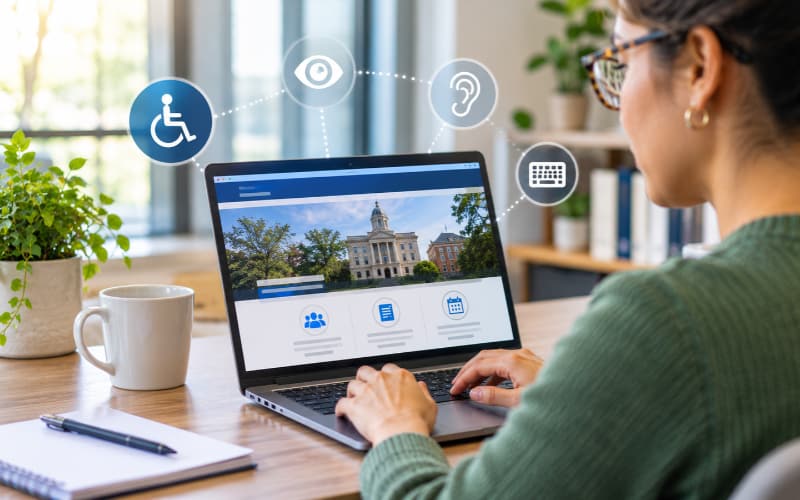
Government teams apply digital accessibility through everyday decisions: publishing a meeting packet, updating a service page, building a form, adding an image, embedding a video, or changing a website template. WCAG 2.1 Level AA turns those decisions into a shared set of requirements for making digital services more usable by people with disabilities.
The U.S. Department of Justice identified WCAG 2.1 Level AA as the technical standard in its Title II web accessibility rule for state and local government web content and mobile apps. For day-to-day work, teams can organize the standard around four principles known as POUR: perceivable, operable, understandable, and robust.
Perceivable: Make information available in more than one way
People need to receive information even when they cannot see, hear, or process it in the way the publisher expected. For government teams, that requirement reaches across the full publishing environment. It applies to a photograph on a service page, a chart in a council packet, captions on a public meeting video, the reading order of an agenda, and the contrast between text and its background. A page can contain accurate information and still be difficult or impossible to use when its meaning depends on sight, sound, color, or visual position alone.
Making content perceivable starts with identifying what each element contributes. Informative images need alternative text that communicates their purpose, while decorative images should not create unnecessary noise for assistive technology users. Videos need accurate captions, and audio needs an appropriate text alternative. Headings, lists, table headers, and document tags should communicate structure rather than merely create a visual effect. PDFs, forms, agendas, and meeting materials belong in the same review process as web pages because residents experience them as part of one digital service.
In practice: A chart in a council packet needs a text alternative that explains the conclusion a reader should take from it, not a description of every line or color. The goal is to preserve access to the information and purpose of the chart.
Operable: Make every task possible without a mouse
People need to navigate content, find controls, and complete tasks through different input methods. Keyboard access is a practical baseline because it helps teams identify barriers that can also affect people using screen readers, switch devices, voice input, or other assistive technology. A resident should not need a mouse to open a menu, move between fields, select an option, review an error, or submit a form.
Good keyboard support requires more than making each control technically reachable. Focus should move in a logical order, and a visible focus indicator should show which link, field, or button is active. Menus, dialogs, calendars, and other interactive components should not trap the user or move focus unexpectedly. People also need enough time to complete tasks and clear controls for content that moves, flashes, refreshes, or advances automatically. These details determine whether a workflow is merely present on the page or genuinely usable.
In practice: Test an essential resident task from beginning to end without touching the mouse. If the active element becomes unclear, the sequence stops making sense, or a control cannot be reached, the task is not fully operable.
Understandable: Make content and interactions predictable
Accessible content should be clear enough to use and consistent enough to learn. Plain language is part of that work, but understandable design also depends on predictable navigation, labels, instructions, and error handling. Residents should not need internal knowledge to interpret a department abbreviation, guess where a link leads, or discover a form requirement only after submission.
Government teams can improve understanding by using descriptive headings and link text, keeping repeated controls consistent, and placing instructions before complex or unfamiliar fields. Forms should identify errors clearly, connect each message to the affected field, and explain what the user needs to do next. Resident-facing content should also avoid unexplained jargon and internal terminology, particularly in high-stakes services where confusion can delay access or cause an incomplete submission.
In practice: “Invalid entry” identifies neither the problem nor the remedy. A useful message names the field, explains the required format or missing information, and tells the resident how to correct it.
Robust: Build content that works across technologies
Digital content should work across browsers, devices, and assistive technologies. That depends on valid structure and accessible components, but it also depends on how those components are implemented and maintained. A form can look correct while exposing unclear labels, states, or instructions to a screen reader. An embedded tool can meet a visual design requirement while creating a keyboard or focus problem that blocks the task.
Robust experiences give controls and form elements names, roles, states, and values that assistive technologies can interpret. Teams should test priority workflows through more than one method, review third-party platforms and integrations, and monitor the experience as templates, content, and technology change. Automated checks can contribute to that process, but manual and assistive-technology testing are needed to understand behavior that code-based rules cannot evaluate by themselves.
In practice: When a component changes from collapsed to expanded, that change should be available programmatically, not only through a visual cue. Technical validation and human testing reveal different parts of the experience.
Who owns WCAG in a government organization?
No single role can maintain accessibility alone because the resident experience is produced by many teams. Technology teams manage templates, code, components, integrations, and technical testing. Communications teams and department publishers manage pages, images, links, multimedia, and many documents. Clerks and records teams influence agendas, packets, minutes, notices, and public records, while procurement and vendor-management teams influence the accessibility expectations applied to third-party products and services.
Program and service owners also have a distinct responsibility. They can confirm whether resident-facing information is accurate, whether the workflow reflects the actual service, and whether a technically correct fix still allows someone to complete the task. Leadership provides the accountability, resources, escalation paths, and governance needed when barriers cross departments or depend on a vendor, platform, or policy decision.
Clear ownership turns WCAG from a periodic remediation project into a repeatable way of working. Teams should agree on who creates accessible content, who reviews it, who fixes technical barriers, who validates the completed work, and who resolves dependencies. Shared responsibility works only when each activity has a named owner and an agreed definition of completion.
What automated scanners can and cannot do
Automated scanning can identify repeatable technical signals across many pages. It can reveal patterns, monitor known rules, and direct attention to areas that need review. That coverage is valuable for large government environments, but a scanner cannot determine every question of meaning, usability, reading order, keyboard behavior, or assistive-technology experience.
Teams should use automation to increase coverage, then apply manual review, keyboard testing, content judgment, task-based testing, and assistive-technology testing where appropriate. A changed score shows that a detectable condition changed. It does not, by itself, confirm that a resident can understand the information or complete the service.
A practical starting point for government teams
Begin by defining the environment rather than treating accessibility as a page-by-page exercise. Identify the websites, applications, documents, forms, media, and third-party tools residents use. This inventory helps teams see where content and technology intersect and where an issue may repeat across a template, platform, or publishing workflow.
Next, prioritize essential and high-use resident journeys. Testing a complete task, such as finding a meeting packet, applying for a permit, registering for a service, or submitting a payment, provides more useful context than reviewing isolated pages without considering the outcome. Combine automated findings with manual and task-based testing so the team can separate technical signals from verified barriers.
Assign each verified barrier to an accountable owner and define how the fix will be validated. Retest the completed work using the method that identified the problem. If keyboard testing revealed the barrier, keyboard testing should be part of the validation. If the issue involved meaning, instructions, or reading order, a changed automated result is not enough.
Finally, use recurring findings to improve the system that produced them. Update templates, checklists, training, design patterns, procurement practices, and review steps so teams are less likely to reintroduce the same barriers. This creates a practical cycle of finding, fixing, validating, and preventing issues as digital services change.
Next steps
WCAG 2.1 Level AA provides the framework, but most government teams still need to determine where accessibility risks exist, which barriers matter most, and what to address first. Granicus’ Digital Maturity Assessment helps organizations evaluate their current accessibility practices, identify gaps across content, technology, and governance, and prioritize the next steps toward a more accessible resident experience. Start the assessment to build a practical roadmap for improvement.