TOOL KIT

Government digital accessibility action kit

Turn digital accessibility into an actionable plan

Get three practical resources to help your team assess the accessibility needs, assign ownership, prioritize high-impact action, and build accessibility into ongoing operations.

Explore the three resources in the action kit:

  1. 90-day accessibility playbook
  2. Roles and responsibilities planner
  3. Accessibility audit checklist
Share with others
Colleagues having a discussion around a conference table.
OVERVIEW

A starting point for coordinated accessibility work

Digital accessibility touches websites, applications, forms, documents, video, third-party tools, procurement, and everyday publishing. When responsibility is spread across teams, the work can stall without a shared sequence, clear owners, and an agreed way to validate progress.

This action kit gives state and local government teams a framework for moving from concern or audit findings to coordinated action. Use the three resources together to define scope, protect essential resident services, assign responsibility, begin high-impact improvements, and establish a repeatable operating rhythm.

1. Accessibility in action: A government playbook

Use a realistic 90-day roadmap to establish control without promising that an entire accessibility program can be completed in three months. The playbook organizes the work into three phases:

  • Days 1-30: Scope and stabilize
  • Days 31-60: Prioritize and begin remediation
  • Days 61-90: Validate and operationalize

You will identify critical services, centralize known issues, assign owners, begin high-impact fixes, introduce publishing controls, and prepare the next-quarter roadmap.

Download the playbook

2. Government accessibility roles and responsibilities planner

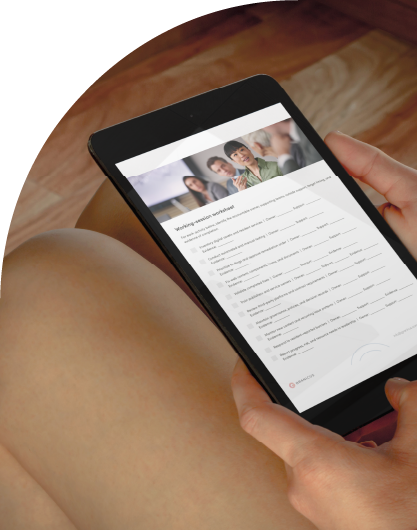
Clarify who is accountable for the work and where support is shared. The worksheet helps cross-functional teams document the accountable owner, supporting teams, outside support, target timing, and evidence of completion for core accessibility activities.

Use it to coordinate responsibilities across leadership, web and IT, communications, department owners, document and records teams, procurement, legal and risk, resident support, and external specialists.

Download the worksheet

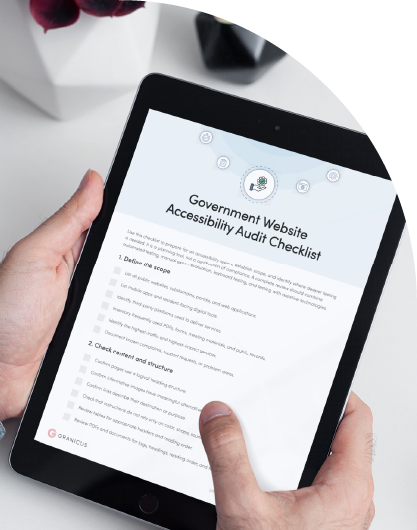
3. Government website accessibility audit checklist

Prepare for an accessibility review and identify where deeper testing is needed. The checklist helps teams define scope and review priority areas, including:

  • Content, structure, images, links, tables, PDFs, and documents
  • Keyboard navigation, focus order, and interactive components
  • Forms, transactions, instructions, and error handling
  • Captions, transcripts, and media controls
  • Issue ownership, prioritization, validation, monitoring, and resident feedback

The checklist is a planning tool, not a certification of compliance. A complete review should combine automated testing with manual expert evaluation, keyboard testing, and testing with assistive technologies.

Download the checklist

Take the next step toward sustainable accessibility

Ready to go beyond identifying and fixing individual accessibility issues? Join our Rethink your government accessibility toolkit webinar to explore how ownership, governance, vendor accountability, and technology can help prevent recurring issues and strengthen accessibility across your digital services.

Register for the webinar
Two colleagues smilingly look at a tablet in a bright office. The woman wears a plaid blazer, and the man, with glasses, wears a beige shirt. Collaborative atmosphere.
FAQs

Common questions about putting accessibility into action

Digital accessibility is a shared responsibility across web, communications, IT, ADA coordination, procurement, legal, department owners, and other teams responsible for public-facing services. Clear ownership helps agencies coordinate work and sustain progress.

Build accessibility into ongoing operations through clear ownership, risk-based prioritization, validated fixes, accessible publishing practices, governance, and continuous monitoring.

A government digital accessibility program should address websites, applications, forms, PDFs and documents, video, third-party tools, and other public-facing digital services. It should also define ownership, prioritize critical services, validate improvements, and monitor accessibility over time.

See digital accessibility in action

See how government teams are putting accessibility into practice across their digital services.

BEGIN THE JOURNEY

Ready to deliver exceptional outcomes?

Book a demo